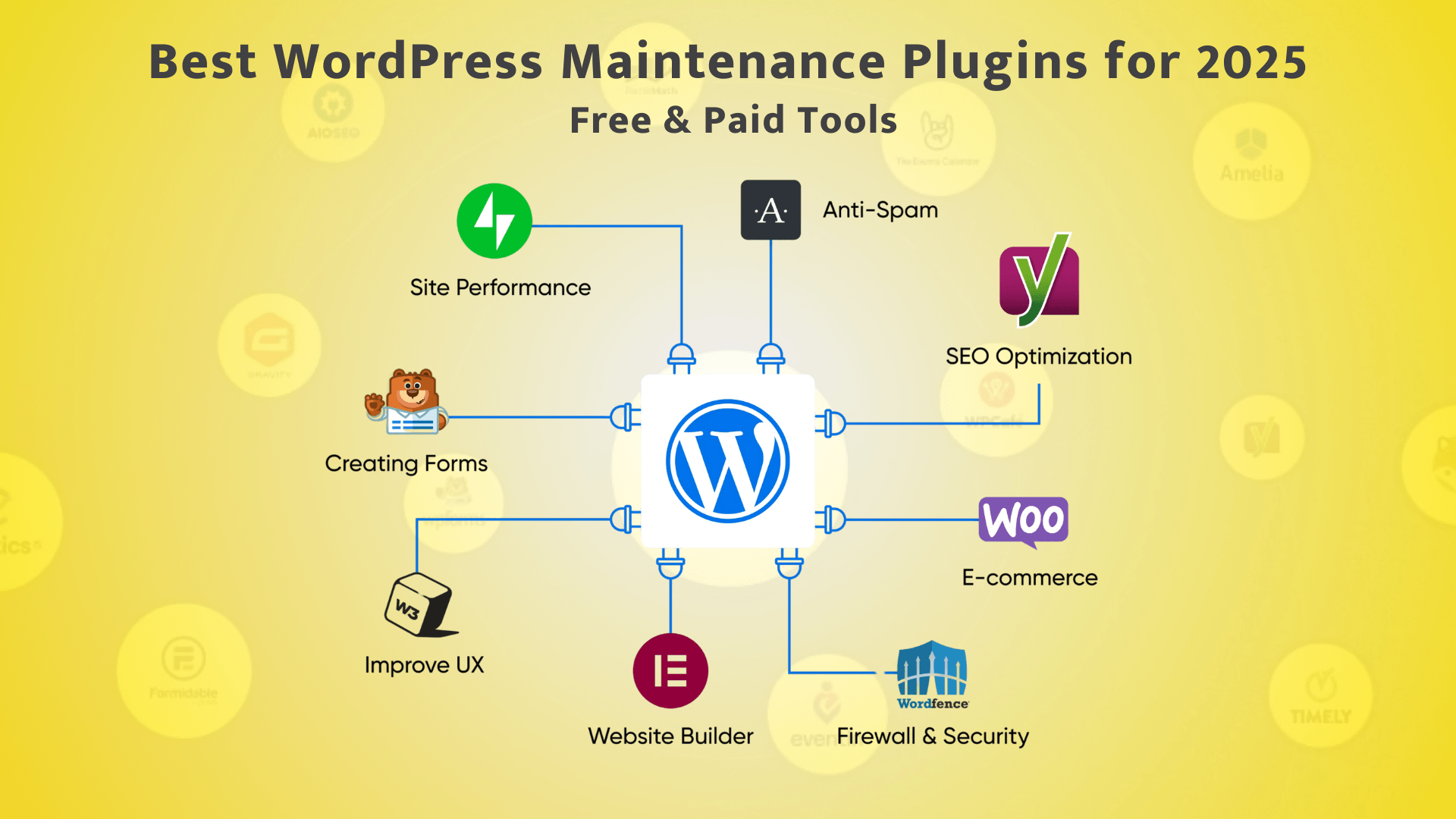

Maintaining a WordPress website doesn’t have to be hard—especially with the right plugins. Whether you’re running a blog, business site, or e-commerce store in India, there are powerful tools to automate and streamline tasks like backups, security, updates, and performance. With the ever-evolving digital landscape, these plugins have become essential for ensuring your website runs smoothly and efficiently.
Here are the top WordPress maintenance plugins you can rely on in 2025, including both free and paid options that cater to various needs and budgets.
Table of Content
- UpdraftPlus – Best for Automated Backups
- WP Rocket – Best for Speed Optimization
- iThemes Security – Best for Securing WordPress
- WP-Optimize – Best for Database Cleanup
- ManageWP – Best for Managing Multiple Websites
- WP Maintenance – Best for Custom Maintenance Mode
- All-in-One WP Migration – Best for Backup + Restore
- Quick Comparison Table
- Conclusion
- FAQs – WordPress Maintenance Plugins
UpdraftPlus – Best for Automated Backups
- Type: Free + Premium
- Use for: Scheduled backups to Google Drive, Dropbox, FTP, and multiple cloud storage options
- Why it’s great: Easy setup, comprehensive restore options, and seamless cloud synchronisation
- Indian Pro Tip: Schedule backups during low-traffic hours to save bandwidth and ensure faster completion
- Additional Features: Incremental backups, migration tools, and multisite compatibility
WP Rocket – Best for Speed Optimization
- Type: Paid
- Use for: Advanced caching, CSS/JS minification, lazy loading, and overall performance enhancement
- Why it’s great: No complex setup—works instantly with intelligent presets
- Alternatives: Autoptimize (Free), W3 Total Cache (Free)
- Performance Impact: Up to 50% faster page load times
iThemes Security – Best for Securing WordPress
- Type: Paid
- Use for: Advanced caching, CSS/JS minification, lazy loading, and overall performance enhancement
- Why it’s great: No complex setup—works instantly with intelligent presets
- Alternatives: Autoptimize (Free), W3 Total Cache (Free)
- Performance Impact: Up to 50% faster page load times
WP-Optimize – Best for Database Cleanup
- Type: Free + Premium
- Use for: Thorough cleaning of old revisions, spam comments, and transient data
- Why it’s great: One-click performance boost with scheduled maintenance options
- Extra: Also includes advanced image compression & intelligent caching features (all-in-one!)
- Database Impact: Reduces bloat and improves query performance
ManageWP – Best for Managing Multiple Websites
- Type: Free + Premium add-ons
- Use for: Centralised remote dashboard to manage updates, plugins, backups, and monitoring
- Why it’s great: Perfect for agencies or businesses managing multiple WordPress sites efficiently
- Use Case: Ideal for Indian web dev agencies or freelancers handling multiple client websites
- Management Features: Bulk updates, security checks, and performance monitoring
WP Maintenance – Best for Custom Maintenance Mode
- Type: Free + Paid
- Use for: Creating professional maintenance or coming soon pages with customisation options
- Why it’s great: Intuitive drag-and-drop builder + countdown timer and subscription forms
- Bonus: Essential during updates, redesigns, or staging changes
- Design Options: Multiple templates, custom backgrounds, and social media integration
All-in-One WP Migration – Best for Backup + Restore
- Type: Free + Premium
- Use for: Comprehensive site exports, automated backup scheduling, seamless migration between hosts
- Why it’s great: Requires absolutely no technical expertise, perfect for beginners and professionals alike
- Popular with: Small to medium-sized businesses in India looking to change hosting providers or create full website backups
- Migration Features: Direct server-to-server transfers, selective content migration, and advanced filtering options
- Additional Benefits: Built-in find and replace tools, multisite support, and excellent compatibility across hosting platforms
Quick Comparison Table
Plugin | Key Use | Free Version | Paid Features |
UpdraftPlus | Backup | ✅ | Advanced cloud synchronisation, expanded scheduling options |
WP Rocket | Speed | ❌ | Comprehensive performance optimisation suite |
iThemes Security | Security | ✅ | Two-factor authentication, detailed security logs, customised security rules |
WP-Optimize | Optimization | ✅ | Premium image compression, advanced caching mechanisms |
ManageWP | Bulk Management | ✅ | Automated backup systems, comprehensive SEO analysis |
WP Maintenance | Maintenance Mode | ✅ | Advanced design customisation, integrated countdown functionality |
All-in-One WP Migration | Migration | ✅ | Unlimited file size exports, priority support |
Conclusion
Implementing the right WordPress maintenance plugins can significantly reduce your monthly administrative workload whilst preventing unexpected downtime and performance issues. Whether you’re managing your website independently or partnering with a professional website maintenance agency in India, these essential tools should be part of your WordPress toolkit. Each plugin serves a specific purpose in keeping your website secure, optimised, and running smoothly.
Looking for a completely hands-free experience? Our dedicated team at Codewitty specialises in comprehensive WordPress management, including expert plugin configuration, regular updates, and tailored monthly website maintenance packages designed to meet your specific requirements.
👉 Discover Our Professional Website Maintenance Services in India
FAQs – WordPress Maintenance Plugins
Absolutely! Many free plugins, including UpdraftPlus, WP-Optimize, and iThemes Security, offer robust functionality for basic website maintenance. However, premium versions provide enhanced automation capabilities and dedicated support, which becomes increasingly valuable as your website grows and attracts more traffic.
For typical Indian businesses, implementing a weekly full backup strategy is recommended. However, e-commerce platforms or websites with frequent content updates should consider daily backup solutions to protect against potential data loss and ensure business continuity.
Yes, regular updates are essential for security and performance. However, always ensure you create a complete backup before implementing any updates. Utilise tools like ManageWP or UpdraftPlus to automate both your backup process and update schedule safely.
WP Rocket stands out as the premier premium solution. For those seeking free alternatives, consider combining Autoptimize or W3 Total Cache with WP-Optimize for comprehensive performance enhancement.
Certainly! We provide cost-effective WordPress maintenance packages specifically designed for Indian websites, encompassing complete plugin setup, professional configuration, continuous monitoring, and monthly optimisation services.